

Connected Appliance Diagnostics: Service Modes and Factory Apps for Samsung, LG, GE, and Whirlpool
Terry Okafor
Master refrigeration tech and NATE-certified instructor who moonlights as the magazine's advice columnist. His 'Ask Big Terry' mailbag has been settling shop disputes and diagnosing mystery leaks since 2011.
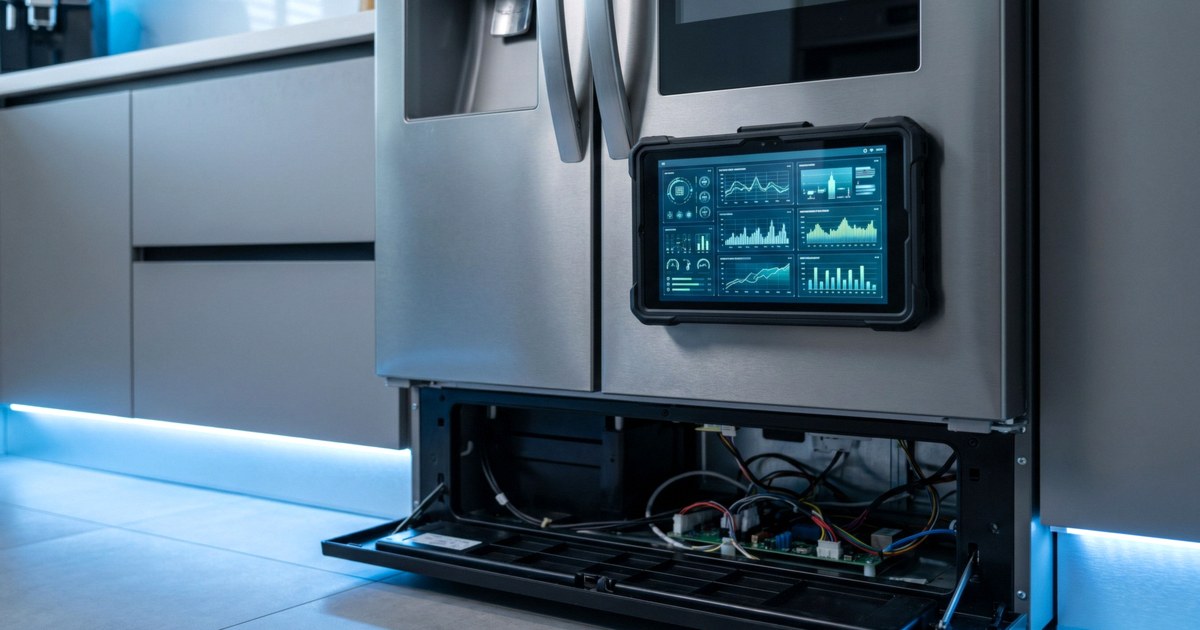
Connected appliance diagnostics changed my pre-call routine more than any tool I've bought in a decade. When a customer says their three-year-old Samsung washer "just stops sometimes," I used to show up blind, run a cycle, and hope it failed while I was standing there. Now I ask one question first: is it in the app? If the machine is on Wi-Fi, there's a decent chance the error history I need is already sitting on the customer's phone, and I know whether to load the truck with a drain pump or a door lock before I leave the shop.
This guide covers what each of the big four ecosystems actually gives you, what's reserved for authorized servicers, and how to fold connected data into a diagnostic workflow without letting an app do your thinking for you.
One ground rule before we start. Built-in service modes (the button-dance kind) are model-specific, and the entry sequences change between platforms, production years, and even firmware revisions. I'm not going to print key sequences here, because a sequence that's right for one serial range is wrong for the next. The tech sheet tucked inside the machine and the service manual are the authority. Use them.
Samsung: SmartThings and Smart Care
Samsung folded its appliance diagnostics into SmartThings, the same app that runs its whole smart-home ecosystem. For a connected washer, dryer, refrigerator, or range, error codes push to the app the moment they occur, with the code, a plain-language description, and Samsung's suggested troubleshooting steps. SmartThings Home Care goes further on supported models, monitoring the appliance and flagging maintenance items and developing problems before they become a no-run complaint.
For us, the gold is the notification history. A customer who swears the washer "never showed any code" usually has three weeks of 4C water-supply alerts buried in their notifications. Ask to see the phone. Scroll. Take photos.
Samsung's washers and dryers also carry the Smart Care function, which runs a self-diagnostic and reports through the app. And on the machine itself, most Samsung laundry platforms store an error history accessible through a service or test mode, with stored codes you can cycle through on the display. The entry method differs across platforms, so pull it from the tech sheet rather than a YouTube guess. Once you have codes in hand, our Samsung dryer error codes guide maps the common ones to circuits worth testing.
What's gated: Samsung's certified service network gets appliance pre-diagnosis routed with the service ticket, so factory techs often arrive already knowing the error history. Independents don't get that feed, but the customer-facing SmartThings data plus on-machine service modes recover most of it.
Put "Is the appliance connected to an app?" in your booking script. If yes, ask the customer to screenshot the device page and any error notifications and text them to you before the visit. Two minutes of office work routinely saves a second truck roll, because you show up with the right part instead of diagnosing the obvious on billable time.
LG: ThinQ and Smart Diagnosis
LG's ThinQ app handles the connected side: error notifications, cycle status, energy data, and on many models a downloadable diagnostic report. But LG's distinctive trick is Smart Diagnosis, which predates the Wi-Fi era and still ships on current machines. The appliance encodes its status and fault data and plays it as a series of acoustic tones from a speaker. Hold a phone running ThinQ near the marked spot on the machine, trigger the sequence, and the app decodes the tones into a report of active errors and operating data. The same tones can be played to LG's support line, where their system decodes it on their end.
Why this matters in the field: Smart Diagnosis works even when the machine was never set up on Wi-Fi, which describes most of the laundry pairs you'll meet. The customer didn't connect it. The acoustic path doesn't care.
The trigger sequence (usually a press-and-hold on a specific button while the unit is powered a certain way) varies by product line and model year. The owner's manual prints it for each model, and so does the service literature. On the deeper end, LG's service manuals document board-level test modes for techs, and those stay model-specific too.
What's gated: warranty claim systems and some firmware tools run through LG's authorized servicer channel. The diagnostic data itself is refreshingly open, since anyone with ThinQ and the customer's machine can pull a Smart Diagnosis report.


GE: SmartHQ and SmartHQ Service
GE Appliances runs two parallel apps, and the second one is the most tech-friendly factory tool in the industry right now. SmartHQ is the consumer app: notifications, remote start, fault alerts. SmartHQ Service is the professional platform, and unlike most factory tools, it's available to independent servicers on a subscription rather than locked to the authorized network.
SmartHQ Service connects your phone to the appliance and gives you fault codes and alerts, guided tests, and component control, meaning you can command individual loads (valves, fans, compressors, heaters) on and off from the app and watch what responds. There's a data logger for reviewing recorded operating data, a searchable library of GE service documents, and a share function that sends your diagnostic session to a master tech or GE's Technical Assistance Group when you're stuck. GE sells an Appliance Service Tool dongle that lets the app talk to boards on non-connected models, with coverage reaching back to appliances built around 2012.
GE claims the platform can cut diagnostic time by up to 90% and push first-time fix rates to 95%. Marketing numbers, sure. But component control alone justifies the subscription for any shop running regular GE calls, because energizing a single load on command from your phone replaces a lot of harness-probing. That's the job, faster.
Whirlpool: Brand Apps and ServiceMatters
Whirlpool Corporation (Whirlpool, Maytag, KitchenAid, Amana, JennAir) takes a different posture. The consumer apps for each brand handle cycle notifications, remote control, and some fault alerts on connected models, but there's no public pro diagnostic app equivalent to SmartHQ Service. The professional layer lives at ServiceMatters, Whirlpool's portal for its authorized service network, which carries service manuals, tech docs, training through ServiceMatters University, and warranty administration.
For independents, that means Whirlpool-family diagnosis still runs primarily through the machine itself: the tech sheet's diagnostic mode, stored error codes, and automatic test cycles. Those service modes are well documented and quite good. They're just on the control panel, not your phone.
One connected-specific note from Whirlpool's own service guidance: if your repair interrupts the appliance's Wi-Fi provisioning, reconnect it before you leave, and when the customer's network password is needed, hand the customer the device and let them type it. Walking away from a smart appliance you've left dumb is the kind of detail that shows up in a review.
A Field Workflow for Connected Appliance Diagnostics
Here's how I'd structure it, whatever the brand on the badge.
Before the visit. Ask if the appliance is in an app. Get screenshots of the device page and notification history. Look up the model's service literature so you know how to reach its onboard service mode when you arrive.
On arrival. Pull the app history first, then the machine's stored error history from service mode. Compare them. The app shows what the customer was told; the onboard history often goes deeper and further back.
Then verify. This is the part the app can't do. Connected diagnostics report what the board believes, and the board only knows what its sensors tell it. A drifted thermistor produces a confident, wrong diagnosis in any app ever written. Treat the connected data as a sorting tool that tells you which circuit to put the meter on first, then confirm with resistance and voltage readings before a part goes on the ticket. Apps narrow the search. Meters close the case.
Close the loop. Clear the error history after the repair, run the machine's automatic test cycle if it has one, reprovision Wi-Fi if you disturbed it, and show the customer the clean bill of health in their own app. That last move sells the repair better than any invoice line.
The direction of travel here is obvious. Appliances stream more data every model year, manufacturers are building prediction on top of it (we covered where that's heading in our report on AI and predictive maintenance in appliance service), and customers increasingly expect their service company to speak app fluently. Shops that build connected-device skills are finding it opens doors beyond the repair itself, a shift we dug into in our piece on smart home integration for service pros.
The fundamentals didn't move, though. The app is a witness. The meter is the judge.
Sources
- GE Appliances. "SmartHQ Service." smarthqpro.com/service — source for the "reduce diagnostic time by up to 90%" and "boost first-time fix rate to 95%" figures, plus platform features and 2012-onward model coverage.
- LG. "Smart Diagnosis." lg.com — Smart Diagnosis support
- Samsung. "SmartThings." samsung.com/us/smartthings
- Whirlpool. "ServiceMatters." servicematters.com
Need a repair professional?
Get free quotes from verified technicians in your area.
Find a Pro Near You