


Samsung Dryer Error Codes: Complete Reference Guide

Terry Okafor
Master refrigeration tech and NATE-certified instructor who moonlights as the magazine's advice columnist. His 'Ask Big Terry' mailbag has been settling shop disputes and diagnosing mystery leaks since 2011.
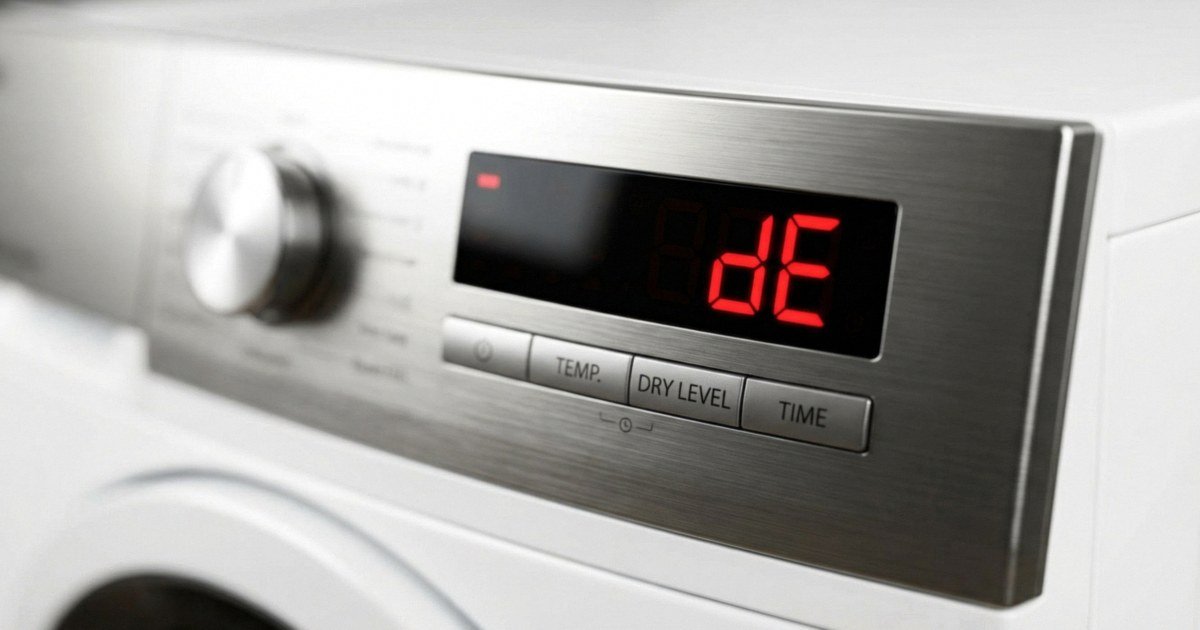
Samsung's DV series dryers are among the most common units in the field in Southern California, and they throw error codes for a wide range of faults. This is the complete reference — every code, cause, diagnostic steps, and the parts you'll need. Keep this one bookmarked or printed.
Samsung displays error codes differently depending on the model year. Units with a display show two-character alphanumeric codes. Older units without a full display show blinking light patterns. I've noted both where relevant.
HE / HC — Heating Error (Overheating)
Meaning: The exhaust temperature exceeded the safe limit. The thermal limiter or high-limit thermostat has cut power to the heating circuit as a safety measure.
Most common cause: Restricted dryer vent. This is the answer 60% of the time. Before you test any component, check the vent. Pull the exhaust hose off the back and feel for airflow. Weak airflow = restricted duct.
Diagnostic steps:
- Clean the vent and exhaust duct. Run a test cycle.
- If HE returns with a clear vent, test the cycling thermostat (DC47-00018A). Check continuity at room temperature — should be closed.
- Test the high-limit thermostat (DC47-00016A). Closed at room temp = good. Open = replace.
- Check the heating element (DC47-00019A) for any contact to ground — a shorted element causes overheating.
Parts:
- Cycling thermostat: DC47-00018A — $12-20
- High-limit thermostat: DC47-00016A — $10-16
- Heating element: DC47-00019A — $35-55
tS / tE / tO — Temperature Sensor Error
Meaning: The thermistor (NTC temperature sensor) is reading out of range or has failed. tS = sensor short, tO = sensor open.
Most common cause: Failed thermistor. Less commonly, a wiring harness connector corroded or pulled loose.
Diagnostic steps:
- Unplug the dryer. Locate the thermistor — it's mounted on the blower housing or exhaust duct inside the rear panel (varies by model year).
- Disconnect the thermistor harness and measure resistance. At room temperature (70°F), a good Samsung thermistor reads approximately 10,000 ohms (10K). At 100°F it should read around 7,000 ohms. Open or zero reading = replace.
- Check the wiring harness from the thermistor to the control board for chafing or loose connectors before replacing the board.
Parts:
- Thermistor (most DV series): DC32-00007A — fits DV42H, DV45H, DV48H and most DV series built 2010-2024
- Thermistor (newer DV50/DV60 platforms): DC32-00007E — check model label
dC / d0 — Door Check Error
Meaning: The door is open or the door switch is not confirming closure. dC = door open detected. d0 = similar.
Most common cause: The door switch (part of the door latch assembly) has failed. On older units, the plastic door strike can also crack and fail to depress the switch fully.
Diagnostic steps:
- Open and firmly close the door. If dC clears and the unit runs, the door wasn't fully latched.
- Open the front panel or remove the access cover near the door catch. Locate the door switch assembly.
- Disconnect the switch and test continuity with the switch manually depressed. Should show continuity. Open = replace.
- Check the door strike (plastic tab on the door) — if broken, it won't fully engage the switch.
Parts:
- Door switch assembly (most DV series): DC64-00828A — fits most DV42H through DV50K series
- Door strike: DC63-01537A
bE / b2 / b7 — Button/Control Error
Meaning: The control panel has detected a stuck button or input error. Usually a button that's physically stuck in the pressed position, or a shattered control panel.
Most common cause: A button mechanically stuck due to debris or a cracked overlay. On DV40J and DV42H models with the full-width control panel, moisture getting behind the control overlay over time causes the capacitive touch sensors to malfunction.
Diagnostic steps:
- Check all buttons on the control panel for physical sticking. Gently press each one and confirm it springs back.
- If a specific button is stuck, a control panel replacement is the repair.
- If all buttons feel normal but bE persists, the main control board is suspect.
Parts:
- Control panel assembly (DV42H series): DC97-15191A — verify exact model number as sub-revisions exist
- Main control board (DV45H): DC92-01729A — multiple revision letters; match the board number exactly from the existing board label
Samsung control board part numbers changed frequently between production runs on the DV42H and DV45H series. Before ordering a board, pull the existing board out and match the full part number on the label — including the revision letter at the end (DC92-01729A vs DC92-01729B etc.). The wrong revision may not be compatible with the wiring harness connector configuration.


dE / dF — Dryer Door Error
Meaning: Similar to dC, but specifically indicating the door latch isn't engaging. dE = door error, dF = door lock failure on models with an electronic door lock.
Diagnostic steps: Same as dC above. On models with an electronic door lock (less common in the DV residential series), also check the lock actuator voltage at the harness — should see 120V when lock commanded.
FE / FC — Frequency/Power Error
Meaning: The dryer is detecting an abnormal power supply frequency or voltage. FE = frequency error.
Most common cause: Voltage drop at the outlet — one leg of the 240V circuit has failed or the connection at the outlet or circuit breaker is loose. This is a common issue in older California homes with aluminum wiring at the breaker panel.
Diagnostic steps:
- Meter the dryer outlet. You should see 240V line-to-line and 120V on each leg to neutral/ground.
- If one leg reads 0V, the circuit breaker leg has tripped — flip it fully off and back on.
- If both legs have voltage at the outlet but the dryer still shows FE, the main control board's power supply section has failed.
oD — Over-Dry Error
Meaning: The moisture sensor is detecting the load is over-dried relative to the sensor reading, or the sensor itself is failing.
Most common cause: Dirty or coated moisture sensor bars. The moisture sensor consists of two metal bars inside the dryer drum, typically mounted just below the door opening. Dryer sheet residue and mineral deposits coat the bars and give false "dry" readings — the machine thinks the load is dry before it actually is.
Fix: Clean the sensor bars with a cotton ball and rubbing alcohol. This clears oD in most cases. If it returns after cleaning, the sensor bars may need replacement or the control board is misreading the input.
- Moisture sensor bar assembly (most DV series): DC97-16782A — $20-35
SE / 5E — Stuck Key / Motor Error (Older Models)
Meaning: On older DV models (DV330AEB, DV337 series), SE indicates a button error. On DV series post-2015, 5E or SE means the drum motor has stopped or isn't responding.
Diagnostic steps (motor error):
- Check the drum motor for continuity across the main windings. Open winding = replace motor.
- Check the drive belt — a broken belt allows the motor to run without load; the motor controller may flag this as an error.
- Motor thermistor — the motor has a built-in thermal protector. If the motor has overheated and the protector has tripped, it may reset after 20-30 minutes of cooling.
Parts:
- Drum motor (DV42H, DV45H): DC31-00055D — $120-180
- Drive belt: 6602-001655 — $15-25
Quick Reference Summary
| Error Code | Meaning | First Check |
|---|---|---|
| HE / HC | Overheating | Dryer vent restriction |
| tS / tE / tO | Temperature sensor | Thermistor DC32-00007A |
| dC / d0 / dE | Door not closed | Door switch DC64-00828A |
| bE / b2 / b7 | Stuck button | Control panel / board |
| FE / FC | Power issue | Meter 240V outlet |
| oD | Over-dry / sensor | Clean moisture sensor bars |
| SE / 5E | Motor or key | Drive belt, drum motor |
For a deeper look at how heating components fail — the thermal fuse, heating element, gas valve coils, and cycling thermostat — see our dryer not heating complete diagnostic guide, which covers both Samsung and multi-brand diagnostics.
How do I clear an error code on my Samsung dryer?▾
Hold Start/Pause for 5 seconds, or unplug for 30 seconds and plug back in. If the code immediately returns, the underlying fault is still present. Clearing the code is only the start — you need to diagnose and fix the root cause, or it will reappear on the next cycle.
What does HE mean on a Samsung dryer?▾
HE means the dryer detected overheating — the exhaust temperature exceeded the safe limit. Check the vent first. A clogged dryer vent is the cause the majority of the time. If the vent is clear, test the cycling thermostat (DC47-00018A) and high-limit thermostat (DC47-00016A) for continuity.
Need a repair professional?
Get free quotes from verified technicians in your area.
Find a Pro Near You