


Samsung Dishwasher Not Draining: 5C and 5E Error Codes Explained

Terry Okafor
Master refrigeration tech and NATE-certified instructor who moonlights as the magazine's advice columnist. His 'Ask Big Terry' mailbag has been settling shop disputes and diagnosing mystery leaks since 2011.
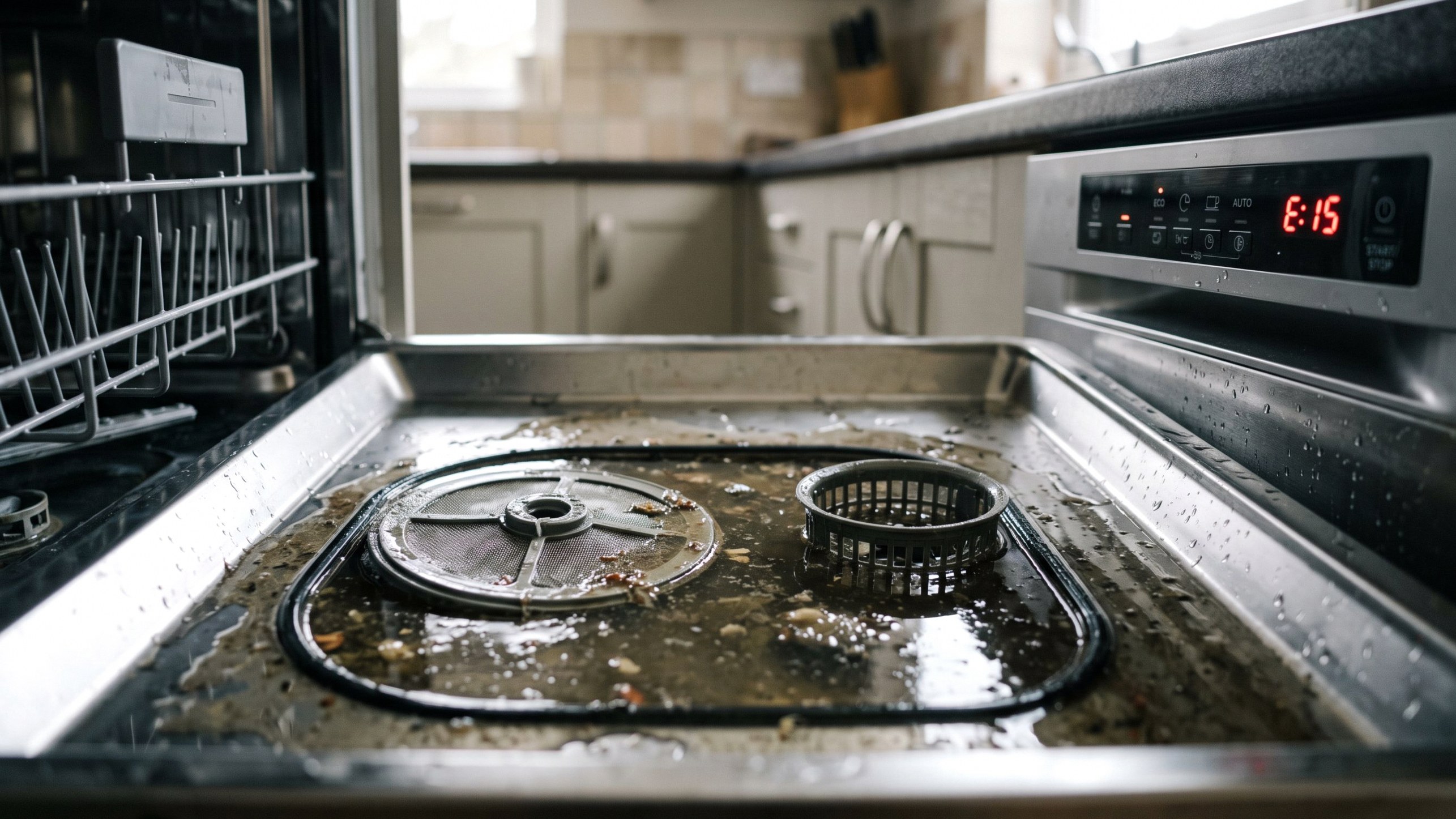
A Samsung dishwasher not draining usually announces itself with standing water in the bottom of the tub and a code on the display: 5C or 5E. Here's the first thing to know, because it trips everyone up. That's not a "5," it's a stylized capital S. So 5C reads as SC and 5E reads as SE, and both are Samsung's way of telling you the dishwasher failed to pump the water out in the time it expected. It's a drainage error, full stop. The good news is the fix is usually cheap and often DIY. Work the list from easiest to hardest.
Step 0: The Garbage Disposal Knockout Plug (New Installs)
If this is a fresh installation and the dishwasher drains into a garbage disposal, check this before anything else. New disposals come with a plastic knockout plug sealing the dishwasher drain port. It has to be physically removed before the drain hose is connected. Miss it, and the pump runs, the water has nowhere to go, and you get a drain error on day one.
Disconnect the drain hose from the disposal port and look inside with a flashlight. If there's a plug, knock it out with a screwdriver and hammer, fish out the piece, and reconnect. That's the whole repair on a lot of new-install calls.
Step 1: Clean the Filter
On an existing dishwasher, the filter is the number one cause of a 5C / 5E. Samsung dishwashers have a cylindrical filter assembly at the bottom of the tub that catches food debris, and when it clogs with grease and grit, water can't reach the pump fast enough to drain in time.
Pull the lower rack. Twist the filter counterclockwise and lift it out. Rinse it under the tap with a soft brush until the mesh runs clear, and check the sump opening underneath for anything stuck. Reseat and lock it clockwise. Run a cycle. A huge share of drain errors end right here.
Step 2: Check the Drain Hose and High Loop
If the filter's clean, follow the water's path out. The drain hose runs from the pump up to a high loop under the countertop (or an air gap) and then down to the disposal or sink drain. Two things go wrong here: kinks and clogs.
Pull the dishwasher forward enough to see the hose and check for a sharp kink where it was pinched during installation or when the unit was pushed back. Then confirm the high loop is actually looped up high, since without it, sink water can siphon back and the dishwasher won't clear. If you suspect a clog, disconnect the hose (have a towel and pan ready) and check for grease buildup or debris inside.


Step 3: Clear the Drain Pump and Impeller
The drain pump sits below the filter and sump and physically pushes the water out. Debris, a shard of glass, a fruit pit, or a bit of plastic can wedge against the impeller and stop it, which throws the drain error even though the pump motor is fine.
With the unit unplugged, access the sump area after removing the filter. Some models let you reach the pump impeller from inside once the sump cover is off; check yours. Clear any debris and confirm the impeller spins freely. If the impeller is jammed, this is your fix. If the pump is electrically dead (no hum during a drain attempt, and the impeller is clear), the pump itself may need replacing. Don't guess at a part number, match the drain pump to your exact model on Samsung's parts site or PartSelect before ordering.
Step 4: Check the Check Valve and Sump
A check valve keeps drained water from flowing back into the tub. If it sticks closed, water can't leave; if it sticks open, water siphons back and looks like a drain failure. Inspect it for debris and free movement if your model has an accessible one. While you're in the sump, make sure the whole sump area is clear of the buildup, glass, and food fragments that collect over time and choke the drain path.
Diagnostic Order at a Glance
Go in this sequence and you'll solve most 5C / 5E codes without a service call:
- New install? Knockout plug first.
- Clean the filter.
- Check the drain hose for kinks and clogs, and confirm the high loop.
- Clear the drain pump impeller.
- Inspect the check valve and sump.
Only after all of that would you condemn the drain pump itself.
What It Costs to Fix
Most 5C / 5E repairs are inexpensive, and the first few steps cost nothing but time.
When to Bring in a Pro
If you've cleaned the filter, cleared the hose and high loop, and freed the impeller and the code still won't clear, or if the pump is electrically dead, it's reasonable to call a tech, especially if you're not comfortable pulling the pump. Whichever way you go, match parts to your exact model number. For the same drain diagnostic on other brands, see our guides on a Whirlpool dishwasher not draining, a GE dishwasher not draining, and the Bosch E15 error, which is a leak-detection (AquaStop) code that behaves differently from a Samsung drain fault.
Sources
Samsung. "Dishwasher error codes." Samsung Support. https://www.samsung.com/us/support